

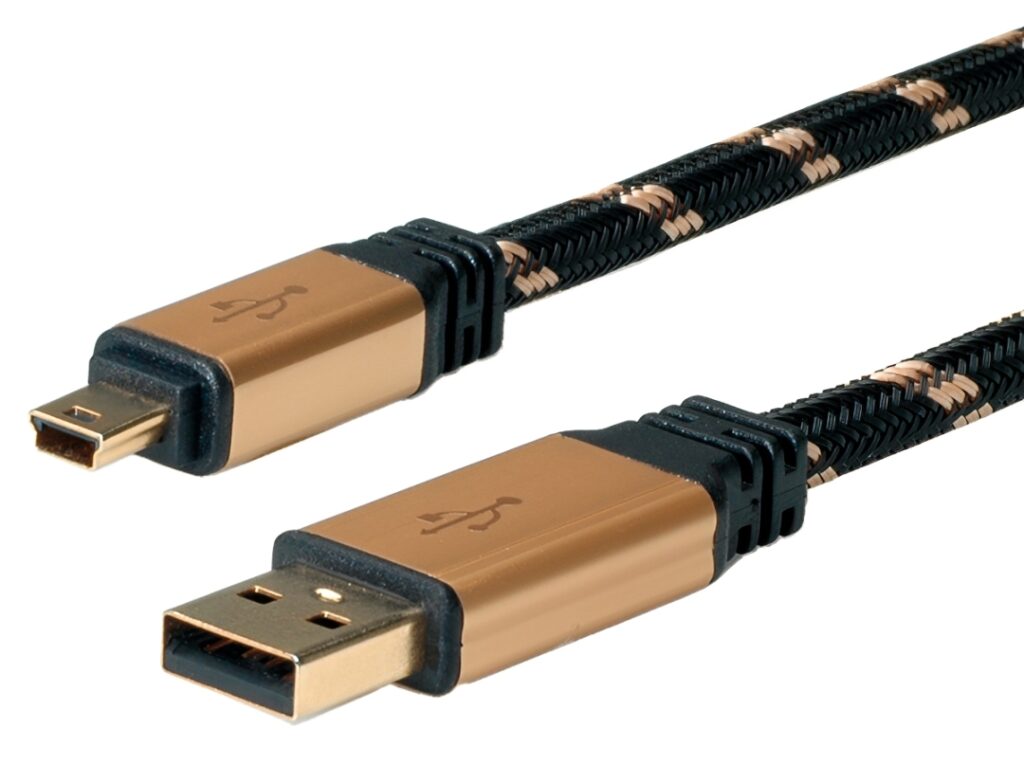
Roline USB B Cable: What Makes It the Right Choice?
A Roline USB B Cable is a dependable link between a host device and equipment that uses the classic USB Type B port. It is common in printers, scanners, audio interfaces, and bench instruments. Choosing the right cable improves stability, reduces dropouts, and supports cleaner cable routing.
What Is a USB B Cable and Why Is It Still Used?
USB Type B connectors are designed for fixed peripherals. The square shape and sturdy shell help the plug stay seated during long sessions. While many laptops moved to USB C, plenty of electronics and industrial controllers still rely on USB B because it is proven and easy to service.
In workshops and labs, USB links often sit near connectors, switches, LEDs, and other electronics. A well built cable helps keep signals clean when the environment gets noisy.
Where You Will Use a Roline USB B Cable
USB B ports show up on devices that stay in place and need a reliable connection. Common examples include:
- Printers and multifunction units
- Test and measurement tools
- Label printers and barcode systems
- Audio interfaces and MIDI devices
- Automation controllers in panels
If your setup also includes contactors and fuses, tidy signal cabling becomes even more important.
Key Specifications and Connectors to Check Before You Buy
Connector quality and fit
A secure fit prevents intermittent disconnects. Look for solid moulding, good strain relief, and a jacket that resists repeated bends around desks or racks. Cable grips can also reduce stress at the ports.
Shielding and noise resistance
Electrical noise can come from switching supplies, LED drivers, or fast controllers. Shielding helps reduce interference, which matters when a cable runs close to bundled cables or near microprocessors and microcontrollers.
Length and signal reliability
Long USB runs can introduce signal loss and voltage drop. Use the shortest length that reaches comfortably, then route it cleanly. When longer distances are unavoidable, active USB solutions may perform better than a passive extra long cable.
USB version and device needs
Most USB B cables are USB 2.0, which is enough for printing, scanning, and instrument control. Some devices use a wider USB 3.0 Type B connector with extra pins. Match the connector type exactly so the connection stays reliable.
How to Choose the Best Cable for Your Product Setup
Start with your host. Many hosts are laptops with USB A or USB C, while the peripheral uses USB B. After that, decide based on handling, environment, and performance needs.
Pick the right ends for your host
- USB A to USB B suits many desktops and hubs
- USB C to USB B suits modern laptops and reduces adapter clutter
Using fewer adapters can improve mechanical stability and reduce connection issues during frequent plug and unplug cycles.
Plan for movement and wear
If the cable is moved often, choose flexibility and strong strain relief. If it is installed once and left in place, a thicker jacket can help it hold shape and reduce kinks behind equipment.
Consider nearby interference sources
In control cabinets or dense benches, separate signal cables from mains and high current wiring. Keep distance from contactors, motor lines, and switching supplies. This routing step often improves reliability.
Think about lab materials and heat
Many benches include thermal pads, thermal probes, and cleaning oils. Keep the cable away from hot tools and chemicals, and wipe connectors if residue builds up.
Installation Tips for Safer, More Reliable Operation
A careful install reduces faults and makes maintenance easier:
- Insert connectors straight, without twisting
- Avoid tight bends near the plugs
- Route away from sharp edges and pinch points
- Maintain separation from high voltage wiring
- Leave a small service loop to prevent tension
- Secure the run with mounts or grips
If your device is part of a panel that also contains fuses and switches, keep signal and power wiring segregated to reduce noise and support safer servicing.
Troubleshooting Common Connection Issues
When a device disconnects or is not detected, check the basics first.
Confirm the physical connection
Reseat both ends and test another port on the host. If movement triggers disconnects, the issue is often strain at the connector or a worn plug.
Swap the cable to isolate the cause
A second known good cable is a fast test. If the issue disappears, the original cable may have internal damage or weaker shielding for your environment.
Reduce electrical noise and improve routing
Move the cable away from LED power supplies or switching regulators. On a development bench, even a dense setup of controllers, microcontrollers, sensors, and a large capacitor can create interference. Better spacing often stabilises communications.
Care, Storage, and Lifespan
Treat the cable like a working component:
- Coil loosely and avoid sharp bends
- Unplug by gripping the connector, not the cable
- Keep connectors clean and dry, especially around oils
- Store away from heat, including thermal tools
- Replace a cable that shows cracking or recurring faults
Final Thoughts
A Roline USB B Cable supports reliable data transfer for printers, instruments, and connected devices that still use USB Type B. By choosing correct ends, sensible length, good shielding, and clean routing, you reduce interruptions and improve safety in real world environments.