

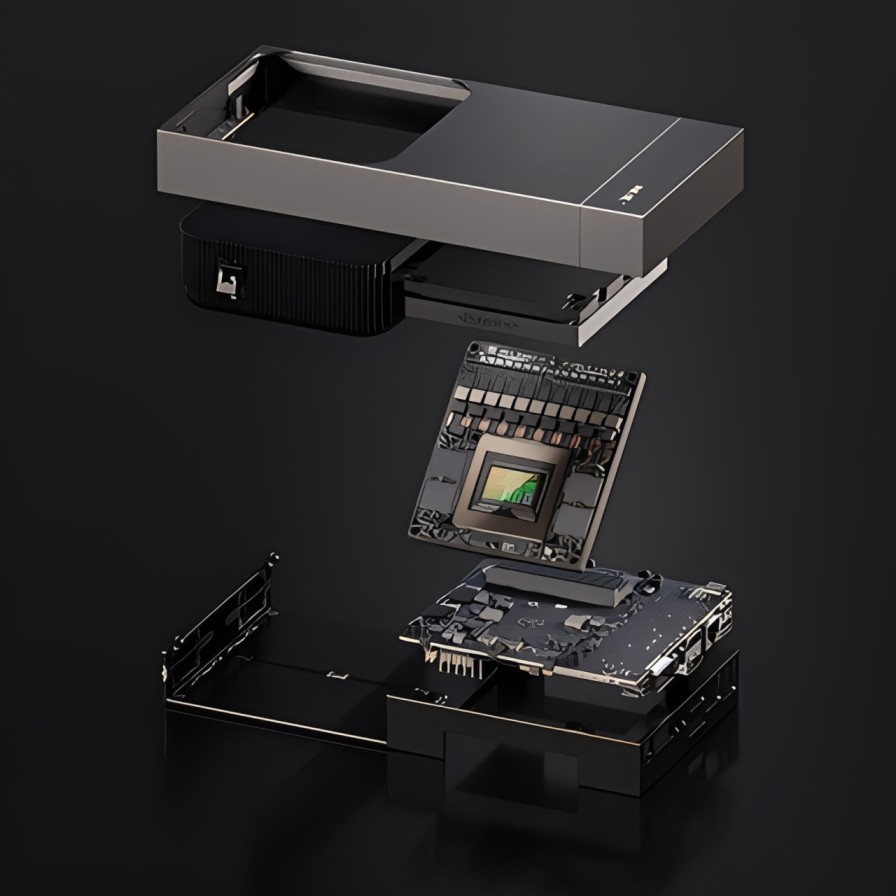
NVIDIA Thor Development Kit: What Can You Build With It?
The NVIDIA Thor Development Kit is built for teams that need powerful edge AI near machines, not in a distant data centre. It packages Thor class compute, high speed connectivity, and a supported software stack so you can prototype physical AI systems and move toward deployment with fewer integration surprises.
Because modern devices rely on sensors, electronics, and reliable cabling, a development kit must do more than run models. It should help you connect peripherals, monitor thermals, and build end to end pipelines that go from perception to control.
What the NVIDIA Thor Development Kit Is
NVIDIA positions Thor class platforms for demanding edge workloads such as robotics and sensor heavy systems. The platform is designed to deliver very high AI compute with a configurable power range, targeted at physical AI and robotics, alongside extensive I O and a full software stack for development and deployment.
For buyers, the value is speed and confidence. Instead of assembling many separate boards, you start with a platform designed to handle high bandwidth inputs, rapid inference, and real time processing in one development environment.
Key Capabilities That Matter in Real Products
A product focused view of the kit is less about a single benchmark and more about what it enables:
- Multimodal processing so you can combine vision, depth, and other signals
- Sensor fusion support where multiple streams must align in time
- High speed networking for moving data between modules and test rigs
- Peripheral expansion for storage, cameras, and auxiliary electronics
- Tooling for profiling, optimisation, and repeatable builds
These capabilities make the kit suitable for advanced AI prototypes that need to transition into reliable field systems.
Hardware Integration: What to Plan Early
Cables and Connectors
High speed systems often fail in small ways. Loose connectors, low quality cables, and poor strain relief can introduce intermittent faults that look like software bugs. For prototyping:
- Use shielded cables for noisy environments
- Choose locking connectors where vibration is present
- Route cables to avoid sharp bends and pinch points
- Label connectors to speed up service and swaps
Planning cable routing and connector quality from the start reduces downtime and improves safety.
Thermal, Power, and Protection
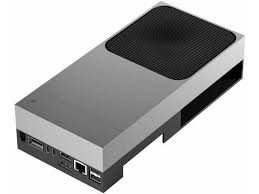
Edge compute needs thermal headroom. Plan airflow and heatsink clearance, then validate under peak load. Also consider thermal pads where required to improve contact and reduce hotspots.
Power stability matters just as much. Add appropriate fuses and protection on external power paths, and test brownout behaviour. Production workflows, secure boot, and device provisioning should be considered early, not only at launch.
Sensors and Electronics Choices
Most use cases depend on sensors, so map your sensor set to bandwidth and latency budgets. Typical decisions include:
- Camera resolution and frame rate versus compute and storage
- Synchronisation requirements for multi sensor pipelines
- Environmental limits such as heat, dust, and oils
- Serviceability, including access to connectors and spare cables
Thoughtful electronics integration ensures that microprocessors, microcontrollers, and controllers work together smoothly.
Software Workflow: From First Boot to Deployment
A stable workflow reduces iteration time and makes demos reproducible. A practical path looks like this:
- Bring up the OS image and confirm drivers
- Validate sensor ingest and time stamping
- Add AI inference and profile latency
- Integrate controllers and close the loop for actuation
- Harden the system for updates and field logging
When you move from inference to action, safety becomes central. Use fail safe states, watchdogs, and clear separation between safety critical logic and experimental features. Microcontrollers can handle hard real time monitoring, while the Thor platform handles heavy perception and reasoning.
Use Cases That Match Buyer Intent
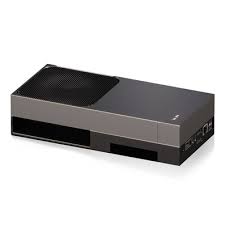
If your product page targets customers who want a fast start, align the kit with outcomes.
Robotics and Humanoids
Robotics teams need low latency perception, planning, and control. Thor class compute helps run advanced models at the edge while processing multiple sensor streams, which is essential for navigation, manipulation, and human interaction.
Industrial Inspection and Automation
Inspection systems often combine cameras, lighting, and factory networking. A Thor based system can support real time defect detection while integrating with contactors, switches, LEDs, and safety circuits already used in industrial panels.
Research and Prototyping Labs
Labs benefit from a stable platform for experimentation. With strong I O, teams can connect sensors, test different electronics, and iterate quickly. Laptops remain useful for flashing, debugging, and performance tuning during development.
Build Checklist for Reliable Pilots
Before field testing, run a short checklist that prevents avoidable failures:
- Stress test thermals and confirm no throttling under worst case ambient conditions
- Validate connectors and cables under vibration and repeated plug cycles
- Measure end to end latency from sensor input to controller output
- Test fault handling for sensor loss, network drop, and power interruptions
- Add diagnostic LEDs and clear logs for fast troubleshooting
- Confirm power rails are stable with adequate capacitor sizing
This kind of readiness work makes the NVIDIA Thor Development Kit feel production relevant, not just a bench tool.
Conclusion
The NVIDIA Thor Development Kit is designed for developers building sensor rich, low latency systems where edge AI must connect cleanly to real hardware. When you pair it with disciplined cabling, thermal planning, and a safety first control architecture, it becomes a strong foundation for robotics, industrial inspection, and other physical AI products.